
Platforms that carry a business, not a brochure
Customer portals, marketplaces, booking and workflow systems, internal tools, and the APIs and infrastructure behind them. Built for the operating day, when the traffic is real and the person on the other end is trying to get something done.
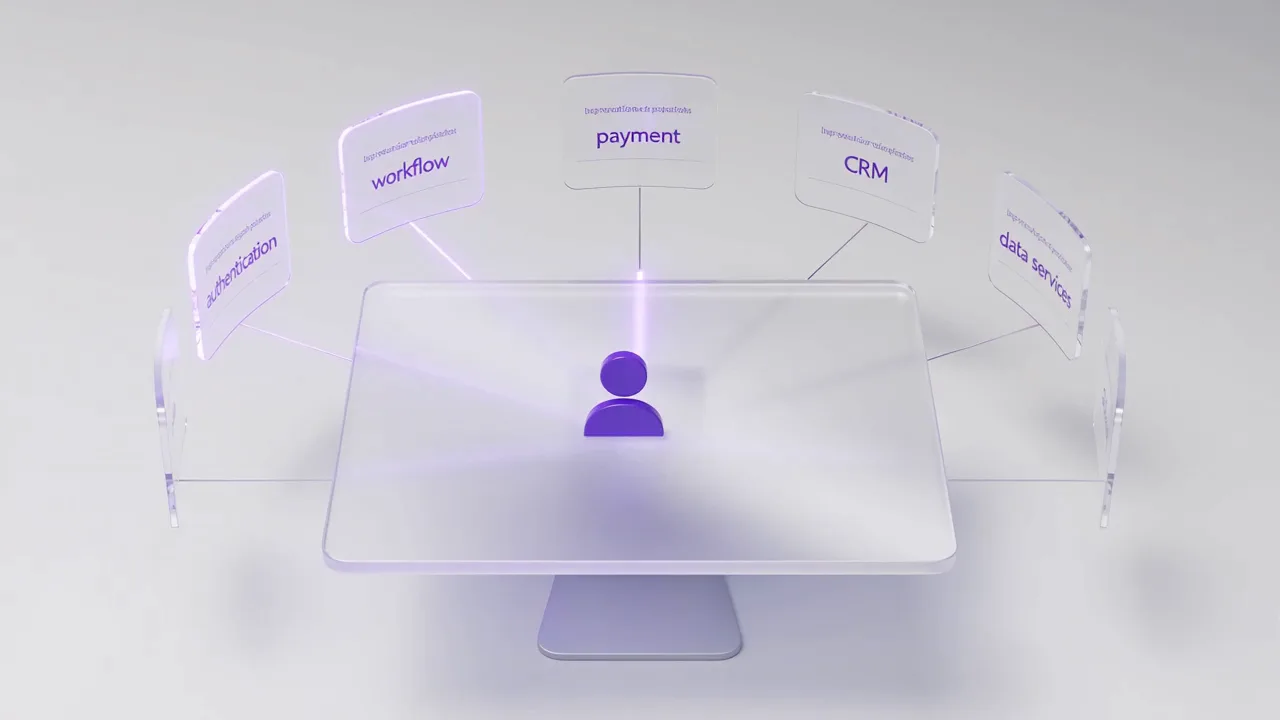
How does the platform connect?
A platform is not a set of pages. Someone does one thing on it, and several systems have to agree before they get an answer. These are illustrative capabilities - not every platform needs all of them.
A user action enters a web platform and triggers authentication, workflow, payments, CRM, APIs and data services before returning a completed outcome.
- AuthenticationWho is this
- WorkflowWhat happens next
- PaymentMoney moves
- CRMThe record updates
- APIsOther systems told
- DataWritten down
What we build
Customer portals
Accounts, documents, requests, statements and self-service. The measure of a good one is the support calls it removes, not the screens it contains.
Marketplaces and multi-sided platforms
Supply, demand, matching, transactions and the reputation and safety mechanics between them, including the moderation and dispute paths nobody demonstrates.
Booking and scheduling systems
Availability, capacity, conflicts, cancellations and time zones. Deceptively hard, and unforgiving when it is wrong.
Workflow and case management
Queues, states, ownership, SLAs and audit history for the processes a business actually runs on.
Internal tools
The admin, operations and reporting surfaces that decide whether your own team can run the platform without calling an engineer.
The APIs and infrastructure behind them
Service interfaces, background processing, storage, search, caching and environments. The front end is the visible tenth of a platform.
Four things that are not features
They never appear on a requirements list and they decide whether the platform is usable, defensible and operable a year after launch.
Accessibility as a build requirement
Keyboard operation, focus order, contrast and semantics designed in and tested, rather than remediated after a complaint.Performance budgets
Agreed page and interaction targets that a release is measured against, so speed is a specification rather than an opinion.Authentication and permissions
Roles, entitlements and session handling modelled before the features that depend on them, not retrofitted around them.Observability from day one
Logs, traces and alerts on the paths that carry revenue, so a failure is something you detect rather than something a customer reports.The cheapest answer is often not the new one
A platform that is slow, awkward or expensive to change does not automatically need replacing. Frequently the failure is concentrated in two or three areas, and replacing those incrementally is faster, cheaper and very much less risky than a rebuild that spends a year reaching the functionality you already had.
Where a rebuild genuinely is the right call, we will say so and explain what makes it so. That assessment is its own piece of work and can be bought on its own.
Plenty of platforms now want a model inside them: a search that understands a question, a summary of a case file, a suggested next action. That is a genuine capability and we build it, but it belongs to a specific job in the workflow and it needs to be measurable before anyone funds it.
The same team that ships the platform can add it, evaluate it and keep it inside the boundaries you set.
Questions worth answering
What counts as a web platform rather than a website?
A website presents information. A platform carries a process: accounts, permissions, transactions, workflow states, integrations and an administrative surface your own team operates. Portals, marketplaces, booking systems, case-management systems and internal tools are all platforms in that sense.
Is accessibility included or charged separately?
It is a build requirement, not an extra line. Keyboard operation, focus order, contrast and semantics are designed in and tested during the build, because retrofitting them into a finished interface costs considerably more than doing them once.
Do you rebuild an existing platform or extend it?
Either, and the decision should follow an assessment rather than a preference. Where an existing platform is sound, incremental replacement of the parts that are failing is usually cheaper and less risky than a full rebuild. Where it is not, we will say so and explain why.
Have a platform to build or to fix?
Bring us the process it has to carry and whatever exists today. We will tell you what should be built, what should be replaced, and what should be left alone.